Compiz manager can be used to disable animations.
sudo apt-get install compizconfig-settings-manager
Look for Compizconfig in Unity Dash --> Effects --> Disable non-desired animations
 |
| Compizconfig Settings Manager |
sudo apt-get install compizconfig-settings-manager
|
| Compizconfig Settings Manager |
sudo su
wget -O - http://packages.openmediavault.org/public/archive.key | apt-key add -
apt-get install python-software-properties
apt-add-repository "deb http://packages.openmediavault.org/public kralizec main"
apt-get update
apt-get install openmediavault-keyring postfix
apt-get update
apt-get install openmediavault
omv-initsystem
reboot
sudo apt-get install pdftk
pdftk A=/home/user/Desktop/cv.pdf cat A1 output outfile.pdf
sudo apt-get install git
git clone https://github.com/sqlmapproject/sqlmap.git sqlmap-dev
cd sqlmap-dev
To list available options:
python sqlmap.py -hFetch database names of vulnerable url:
python sqlmap.py -u www.example.com/home.php?ID=10 --dbsEnumerate tables of a website's database (e.g.: test)
python sqlmap.py -u www.example.com/home.php?ID=10 -D test --tablesDump all data in database (test) and table (e.g.: costumer_data)
python sqlmap.py -u www.example.com/home.php?ID=10 -D test -T costumer_data --dumpMore examples are available here: https://gist.github.com/stamparm/5335217
 |
| Wiring, BMP085 |
root@lemaker:~# ls -l /dev/i2c*
crw-rw---T 1 root i2c 89, 0 Sep 19 14:43 /dev/i2c-0
crw-rw---T 1 root i2c 89, 1 Sep 19 14:43 /dev/i2c-1
crw-rw---T 1 root i2c 89, 2 Sep 19 14:43 /dev/i2c-2
crw-rw---T 1 root i2c 89, 3 Sep 19 14:43 /dev/i2c-3
crw-rw---T 1 root i2c 89, 4 Sep 19 14:43 /dev/i2c-4
As you can see there are 5 I2C buses. With the i2cdetect tool we are looking for the 0x77 address, which is the BMP085.
# -y 0, -y 1 etc
sudo i2cdetect -y 2
We are using the Adafruit BMP Python Library to access the sensor.
sudo apt-get install git build-essential python-dev python-smbus
git clone https://github.com/adafruit/Adafruit_Python_BMP.git
cd Adafruit_Python_BMP
sudo python setup.py install
There are some example scripts in the examples folder.
cd examples

# we need to change the bus number
nano simpletest.py
#uncomment sensor = BMP085.BMP085(busnum=2)
#and comment #sensor = BMP085.BMP085()

#run code
sudo python simpletest.py

#sample output
Temp = 23.00 *C
Pressure = 97607.00 Pa
Altitude = 313.47 m
Sealevel Pressure = 97607.00 Pa

sudo apt-get install git
git clone https://github.com/linux-sunxi/sunxi-tools
cd sunxi-tools
make

#location of the script.bin file
cd /boot/bananapi/

#get the fex file
sudo /home/bananapi/sunxi-tools/bin2fex script.bin bananapi.fex

#edit the fex file
sudo nano bananapi.fex

#add the following at the end, save (CTRL + O) and close
[w1_para]
gpio = 4

#.fex back to .bin
sudo /home/bananapi/sunxi-tools/fex2bin bananapi.fex script.bin

sudo reboot
bananapi@lemaker ~ $ cd /sys/bus/w1/devices
bananapi@lemaker /sys/bus/w1/devices $ ls
28-000006203041  w1_bus_master1
bananapi@lemaker /sys/bus/w1/devices $ cd 28-000006203041
bananapi@lemaker /sys/bus/w1/devices/28-000006203041 $ ls
driver  id  name  power  subsystem  uevent  w1_slave
bananapi@lemaker /sys/bus/w1/devices/28-000006203041 $ cat w1_slave
5e 01 4b 46 7f ff 02 10 8d : crc=8d YES
5e 01 4b 46 7f ff 02 10 8d t=21875
t=21875 is the number we are looking for. E.g.: 21.9 degree Celsius (°C) in my case.
 |
| my setup |
wget https://1.eu.dl.wireshark.org/src/wireshark-1.12.0.tar.bz2
tar xaf wireshark-1.12.0.tar.bz2
cd wireshark-1.12.0
#could be that you need to install libgtk-3-dev before compiling
sudo apt-get install libgtk-3-dev
#to compile
./configure
make
#now run it
sudo ./wireshark

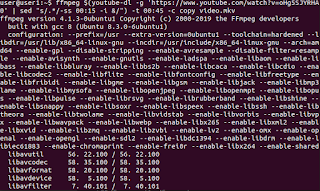
First make you have both youtube-dl and ffmpeg installed: sudo apt install youtube-dl ffmpeg Then download a portion of your desired...