The list below is for educational/research purposes only.
Tuesday, 28 June 2016
Darknet Links - Deep Web Links 2016
This is a list of working deep web links. To access the deep web you will need TOR. Either you can use the TOR Browser bundle or a more secure "version" of TOR to avoid being tracked online.
The list below is for educational/research purposes only.
Consider leaving a comment. No CP. Thank you!
The list below is for educational/research purposes only.
Friday, 10 June 2016
How to unblock Kickass Torrents
KickassTorrents was founded in 2008 and is the most popular torrent directory in the world. Since March 2013, major UK ISPs are blocking the website. Also, Google Chrome started blocking the website in 2015 due to "unsafe" content.
KickassTorrents can now be accessed via lsuzvpko6w6hzpnn.onion on the TOR network. The link will not work with your "normal" web-browser. What you need is the so-called Tor Browser.
Go to the Torproject homepage and download Tor browser for your operating system.
And put the KickasTorrents .onion link (lsuzvpko6w6hzpnn.onion) in the address bar. DONE! You have now unblocked Kickass Torrents regardless whether your ISP blocks the website or not.
How to bypass the blocking
Fortunately it is rather easy to get around this barrier. In March 2016 Kickass made it possible for users to access the website on the TOR network, which is an anonymous network that makes it hard for your ISP to block content.KickassTorrents can now be accessed via lsuzvpko6w6hzpnn.onion on the TOR network. The link will not work with your "normal" web-browser. What you need is the so-called Tor Browser.
STEP 1: Download Tor Browser
Go to the Torproject homepage and download Tor browser for your operating system.
STEP 2: Open Tor Browser
And put the KickasTorrents .onion link (lsuzvpko6w6hzpnn.onion) in the address bar. DONE! You have now unblocked Kickass Torrents regardless whether your ISP blocks the website or not.
Wednesday, 1 June 2016
Post-Install Tips & Tricks for Ubuntu 16.04
1. Install Media Codecs
Due to legal issues Ubuntu does not come with media codecs pre-installed, which are needed to play most audio and video formats. Installing the required codecs is straightforward:
sudo apt-get install ubuntu-restricted-extras
1.1 Install unrestricted version of libavcodec
sudo apt-get install libavcodec-extra
2. Install Java
Most likely you will only require the Java browser plugin and OpenJRE.sudo apt install icedtea-8-plugin openjdk-8-jre
3. Adobe Flash on Ubuntu
Unfortunately Flash is still needed for many web applications.sudo apt-get install flashplugin-installerAlternatively you can use chromium (recommended!).
sudo apt-get install chromium-browser chromium-browser-l10n chromium-codecs-ffmpeg
4. Install Linux Graphics Drivers
AMD users will experience a drop in performance because the AMD driver is not supported as of now (June 2016) in Ubuntu 16.04. So think twice before upgrading if you are playing games or performing GPU-intensive work.- 1) Open Software & Updates from the Unity Dash
- 2) Click on the Additional Drivers tab
- 3) Follow on-screen instructions
5. Install a System Cleaner
BleachBit is an excellent open-source tool to keep your caches clean and perform some other essential housekeeping from time to time.sudo apt-get install bleachbit
Saturday, 9 April 2016
How to Install 0ad On Linux (Ubuntu, Debian etc.)
0 A.D. is a free, open-source, historical Real Time Strategy (RTS) game currently under development by Wildfire Games, a global group of volunteer game developers.
Ubuntu
sudo -s add-apt-repository ppa:wfg/0ad apt-get update apt-get install 0ad
Debian
sudo -s apt-get install 0ad
How to Run the Game
From the command line:0ad
Tuesday, 29 September 2015
How to connect to WiFi using command line Ubuntu, Debian etc.
Tried to upgrade to Ubuntu 15.10 Beta 2, rebooted and my system was broken. Could not connect to LAN, so my only option was to connect to Wifi via command line to hopefully repair my system.
This is what I did.
First, open a terminal:
Ctrl-Alt-T
If you got WPA like me you need wpa_supplicant to set it up, because iw can only handle WEP.
To bring up your wireless device (most likely wlan0):
Ctrl + A to close and save.
To connect:
This is what I did.
First, open a terminal:
Ctrl-Alt-T
If you got WPA like me you need wpa_supplicant to set it up, because iw can only handle WEP.
To bring up your wireless device (most likely wlan0):
sudo -s ifconfig wlan0 up #now scan for available wifi networks and note the ssid of your device iwlist wlan0 scanIn /etc/wpa_supplicant.conf we need to put our ssid and password:
nano /etc/wpa_supplicant.confExample config:
network={
ssid="ssid"
psk="wifi password"
}Ctrl + A to close and save.
To connect:
sudo wpa_supplicant -B -iwlan0 -c/etc/wpa_supplicant.conf -DwextOpen a second tab/terminal:
sudo dhclient wlan0Your connection should now work!
Sunday, 6 September 2015
How to crack MD5 hashes with hashcat
OS: Ubuntu 15.04
There is also a GPU version (oclhashcat), but I am on my notebook so I have to use the CPU only version, which - of course - is much slower.
Download the latest hashcat version here: https://hashcat.net/hashcat/
Download a wordlist: https://crackstation.net/buy-crackstation-wordlist-password-cracking-dictionary.htm
Create a MD5 hash: E.g.: 'hello'
Next, extract the hashcat archive and create a .txt file with the md5 hash(es) within the folder. Also, save the wordlist in the hashcat folder.
Command:
-n, --threads=NUM Number of threads
-m, --hash-type=NUM Hash-type
-a, --attack-mode=NUM Attack-mode
--> use ./hashcat-cli64.bin -h to display all available options.
test.txt is the file with the md5 hash(es) and realhuman_phill.txt is the wordlist.
hashcat will create a filed named hashcat.pot which contains successfully cracked hashes. You can display its contents with cat:
There you go: hello.
If you want to read about brute-force (masked) attack have a look here: http://www.unix-ninja.com/p/Exploiting_masks_in_Hashcat_for_fun_and_profit/
Quick example of a brute-force attack for the md5 hash 'cat': 5d41402abc4b2a76b9719d911017c592
?a?a?a specifies to go through all character combinations exactly 3 characters long. ?l?l?l would be lower-case only:
There is also a GPU version (oclhashcat), but I am on my notebook so I have to use the CPU only version, which - of course - is much slower.
Download the latest hashcat version here: https://hashcat.net/hashcat/
Download a wordlist: https://crackstation.net/buy-crackstation-wordlist-password-cracking-dictionary.htm
Create a MD5 hash: E.g.: 'hello'
echo -n "hello" | md5sum 5d41402abc4b2a76b9719d911017c592
Next, extract the hashcat archive and create a .txt file with the md5 hash(es) within the folder. Also, save the wordlist in the hashcat folder.
Start hashcat. Dictionary based attack.
Command:
./hashcat-cli64.bin -n 2 -m 0 -a 8 test.txt realhuman_phill.txt
-n, --threads=NUM Number of threads
-m, --hash-type=NUM Hash-type
-a, --attack-mode=NUM Attack-mode
--> use ./hashcat-cli64.bin -h to display all available options.
test.txt is the file with the md5 hash(es) and realhuman_phill.txt is the wordlist.
Wait...
hashcat will create a filed named hashcat.pot which contains successfully cracked hashes. You can display its contents with cat:
user@user:~/Desktop/hashcat-0.50$ cat '/home/user/Desktop/hashcat-0.50/hashcat.pot' 5d41402abc4b2a76b9719d911017c592:hello
There you go: hello.
Brute-force
If you want to read about brute-force (masked) attack have a look here: http://www.unix-ninja.com/p/Exploiting_masks_in_Hashcat_for_fun_and_profit/
Quick example of a brute-force attack for the md5 hash 'cat': 5d41402abc4b2a76b9719d911017c592
./hashcat-cli64.bin -n 2 -m 0 -a 3 test.txt ?a?a?a
?a?a?a specifies to go through all character combinations exactly 3 characters long. ?l?l?l would be lower-case only:
?l = abcdefghijklmnopqrstuvwxyz
?u = ABCDEFGHIJKLMNOPQRSTUVWXYZ
?d = 0123456789
?s = !"#$%&'()*+,-./:;<=>?@[]^_`{|}~
?a = ?l?u?d?s
Friday, 28 August 2015
How to install I2P on Ubuntu
Open a terminal and enter:
Update your repositories and install i2p:
Start the I2P router (never as root):
Configure your browser to connect through I2P. I'd recommend you to use Firefox.
Preferences --> Advanced --> Network tab.
In the Connections section, click on the Settings button. Click the circle next to Manual proxy configuration, enter 127.0.0.1, port 4444 in the HTTP Proxy field. Enter 127.0.0.1, port 4445 in the SSL Proxy field. Add localhost and 127.0.0.1 into the "No Proxy for" box.
sudo apt-add-repository ppa:i2p-maintainers/i2p
Update your repositories and install i2p:
sudo apt-get update sudo apt-get install i2p
Start the I2P router (never as root):
i2prouter start
Configure your browser to connect through I2P. I'd recommend you to use Firefox.
Preferences --> Advanced --> Network tab.
In the Connections section, click on the Settings button. Click the circle next to Manual proxy configuration, enter 127.0.0.1, port 4444 in the HTTP Proxy field. Enter 127.0.0.1, port 4445 in the SSL Proxy field. Add localhost and 127.0.0.1 into the "No Proxy for" box.
Subscribe to:
Posts (Atom)
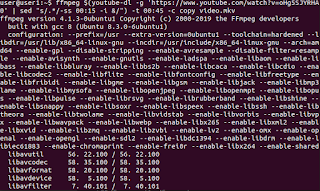
How to download a portion of Youtube Video with youtube-dl
First make you have both youtube-dl and ffmpeg installed: sudo apt install youtube-dl ffmpeg Then download a portion of your desired...
-
Scid vs PC Scid vs PC is definitely the best and most comprehensive chess software for Linux. Unfortunately I struggled quite a bit to ge...
-
OsmocomBB is an Open Source GSM Baseband software implementation. By using the sofware on a compatible phone (e.g. Motorola C118), you are a...
-
You wan't to login to skype, but you can't because you receive the following error: '' another skype instance may exist ...